A simple way to plan your dayand start working.
ChronoBlock helps you shape your day around what matters, turning tasks into focused time with a simple, visual way to plan.
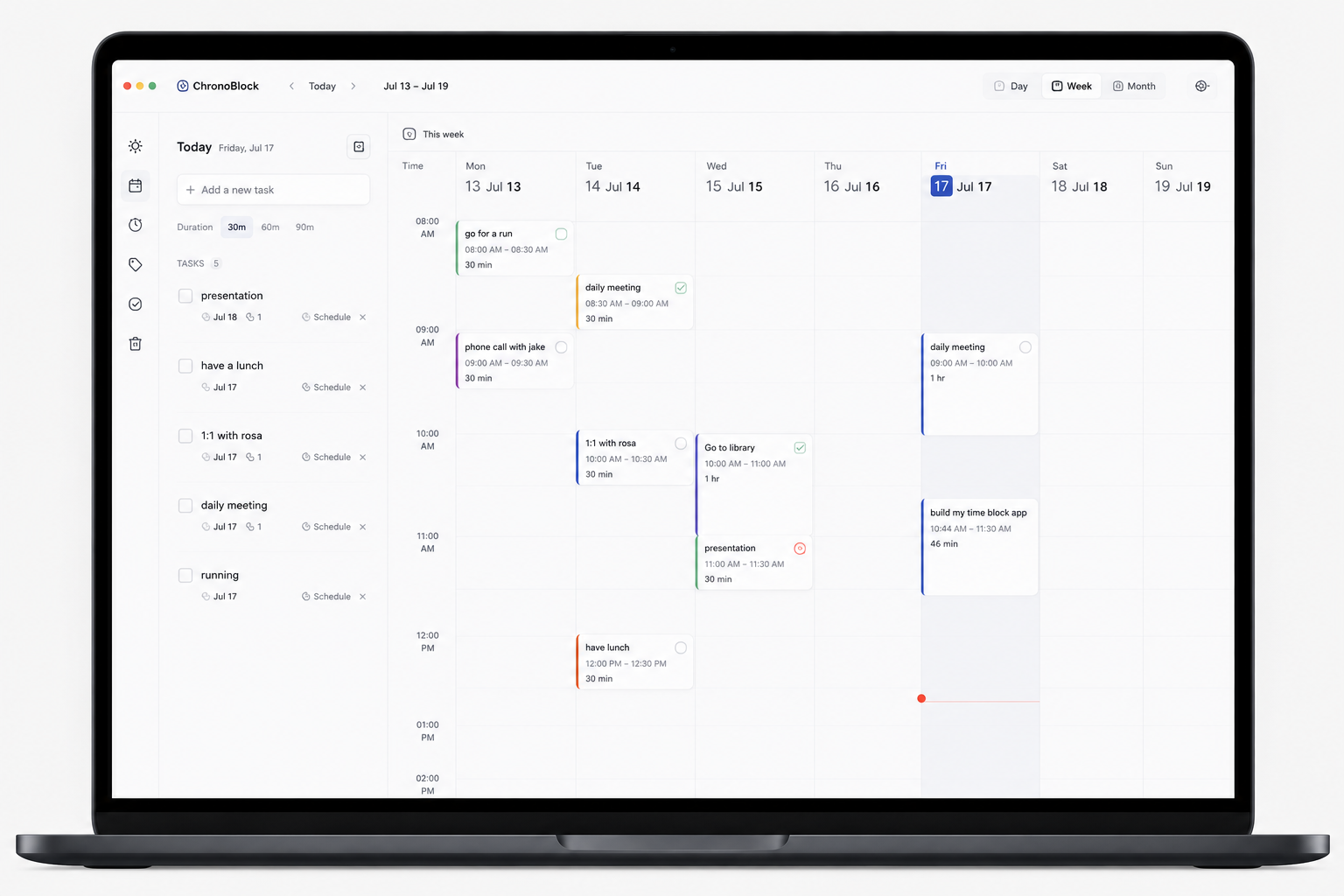
Everything you need to plan your day and get to work.
ChronoBlock brings tasks, time blocking, and focus together in a simple visual workflow that helps you stay clear, organized, and in control of your day.
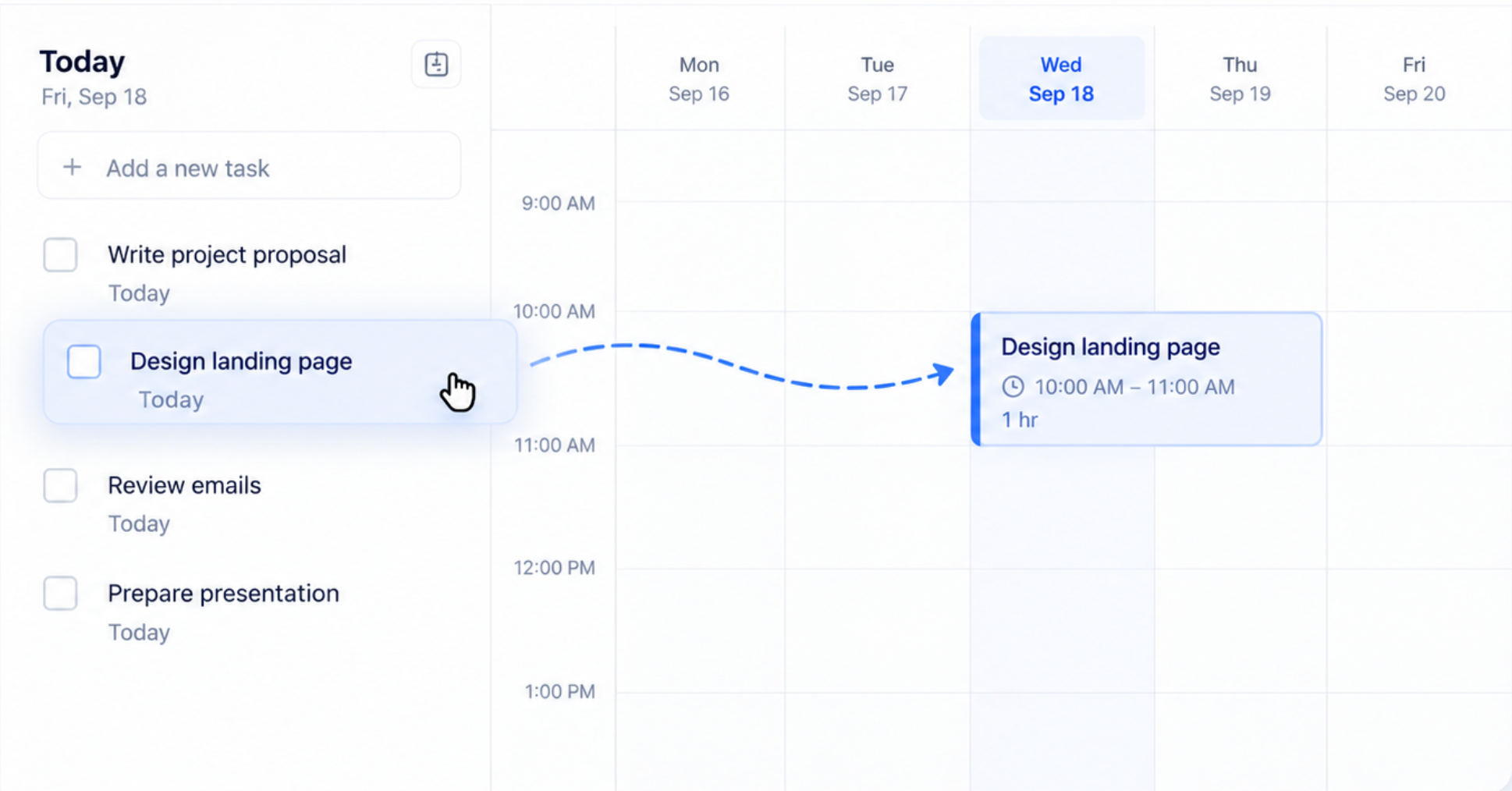
Turn tasks into time blocks
Capture what you need to do, then drag tasks straight into your calendar to create a realistic plan for the day.
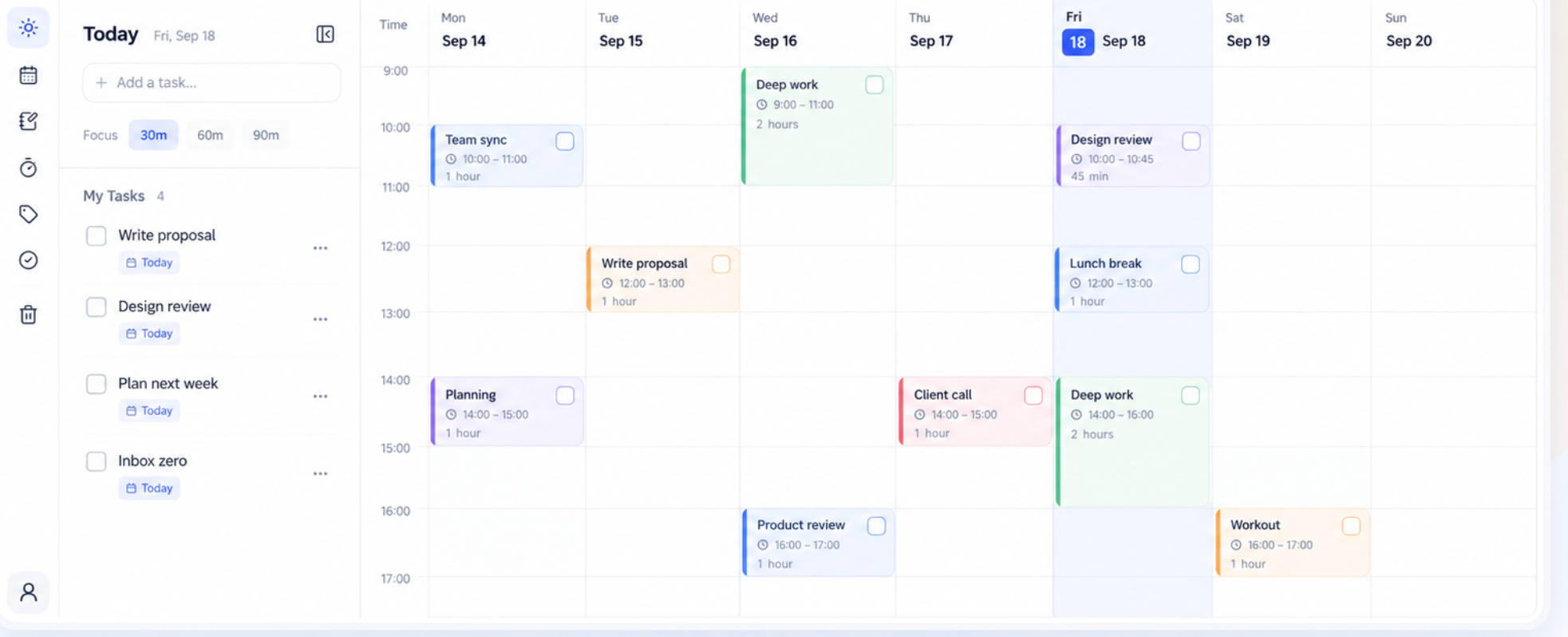
See your day at a glance
A clean visual timeline helps you understand your schedule instantly, so you always know what’s next and where your time is going.
Stay focused, right inside the flow
Start a focus session directly from any time block and keep your attention on the task that matters most.
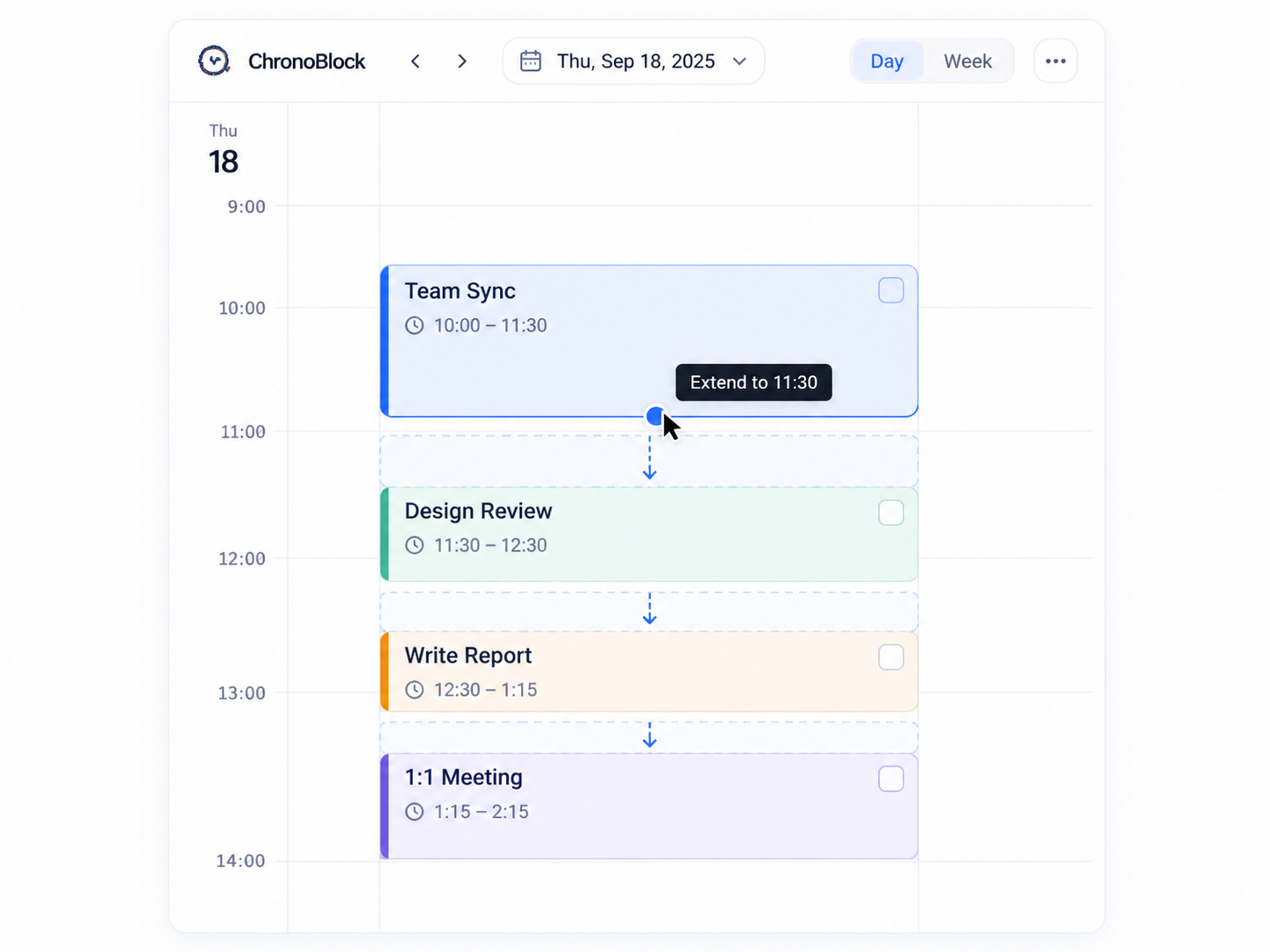
Adjust your plan with ease
When plans change, quickly move, resize, or reschedule blocks so your day stays flexible without becoming chaotic.
Visual planning
See tasks and time together.
Built for focus
Move from planning into action.
Lightweight workflow
No clutter. Just your day.
Attention is
all you need
Intuitive Scheduling
Effortlessly organize your day with simple drag and drop. Rearrange time blocks to match your priorities.
Focus Mode
Dedicated periods for deep work without interruptions.
Lightweight & Private
Runs locally on your machine. Fast, secure, and small footprint.
FAQ
Short answers to the questions people ask most.
How do I plan my day with ChronoBlock?
List what matters, drag each task onto your calendar, and give it a realistic block. Resize or move blocks as your day changes.
Why is time blocking so effective?
It turns a vague “later” into a real time commitment, so important work gets a protected slot instead of hoping to find time.
Why ChronoBlock instead of other apps?
It is built around time blocking from day one, easy to pick up, and keeps your planning data on your own device.
How much does ChronoBlock cost?
Free for the first 30 days, then a one-time lifetime license. No subscription.
Where is my data stored?
On your device. Tasks and blocks stay local, and planning works offline.
Why does my system warn me when I download?
I am an independent developer and have not bought Apple or Microsoft code-signing certificates yet, so macOS or Windows may ask you to confirm the install. Download only from this site.
Ready to transform your productivity?
Plan your time with ChronoBlock
